Key GuidanceDefine what you want the system to do
Plan the work
- Discuss which features you want and confirm that the proposed model supports them.
- App functions, account requirements and optional services vary by product.
- Include existing wall controls, remotes and keypads in the enquiry.
- The installation should clarify which accessories remain compatible and which need replacement.
- Do not assume a new opener works with every voice assistant, vehicle or home-automation platform.
- Confirm the exact integration before selecting equipment.
Key GuidanceBuild a feature list before choosing equipment
Service details
Describe what you want to do from your phone: check a displayed status, receive a notification or operate a supported control. Ask the proposal to identify which of those functions the selected model provides. An app name alone does not establish the complete feature list for an installation.
List the physical controls currently used by the household. Explain whether you want to retain them, replace them or provide access to another user. Compatibility should be checked for the actual controls and operator, rather than assumed from their appearance or the name of a manufacturer.
If a camera, vehicle connection or home-automation feature matters to you, name it before equipment is selected. These are requirements to verify, not features to presume. Ask about the exact supported integration and whether additional equipment or a separate service is needed.
Key GuidanceCheck compatibility before choosing features
Understand the options
- The opener must suit the door and the installation space.
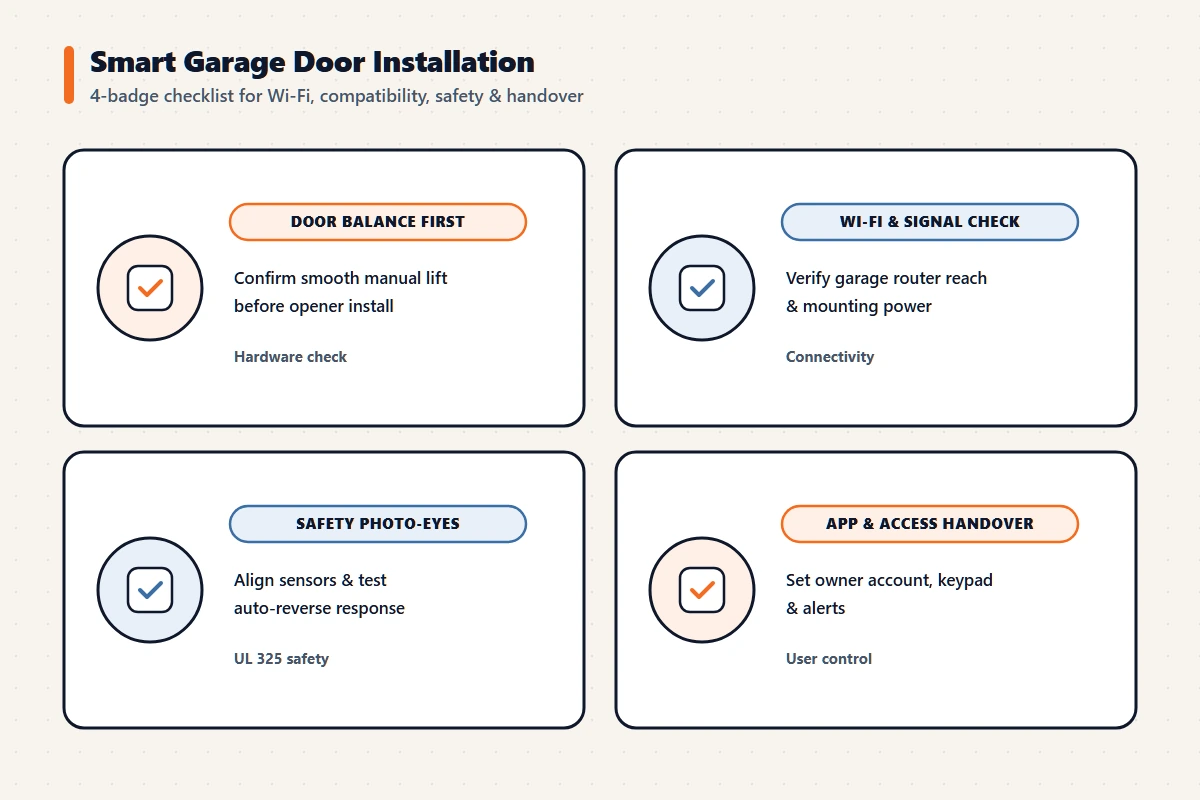
- Door balance and hardware condition are checked before the connected features are considered complete.
- Share the current opener’s make and model if available.
- Some systems support an accessory; others require different equipment.
- A model-specific compatibility check is needed.
- Connected functions depend on the product’s network requirements and coverage in the garage.
- Manufacturer setup instructions should guide the connection rather than assumptions about every router or opener.
Key GuidanceAssess the garage as an installation space
Plan your visit
The enquiry should describe the door as well as the desired connected features. Mention any unusual movement, visible damage or existing operating problem. The inspection can then consider the mechanical system alongside the proposed operator rather than treating an app connection as the whole installation. If your existing system has a fault, compare opener repair before deciding on new equipment.
Tell us about ceiling storage, fittings or other features that may affect the proposed installation. If you are considering a different mounting arrangement, explain the reason, such as a planned change in how the garage is used. Do not purchase equipment based only on a picture of a similar space.
Describe an existing connection problem if it is relevant, and tell us whether you already use connected equipment in the garage. The selected product's setup requirements should guide the discussion. An installation enquiry does not require sending a Wi-Fi password or an account password through a general contact form.
Key GuidanceInstallation and handover
Discuss the details
- The work includes the agreed opener setup, travel settings and applicable sensor and reversal checks.
- A network connection does not substitute for checking door operation.
- Use your own account for the connected service.
- Enter credentials yourself during setup rather than including passwords in a service request.
- Review who has access and how to remove it.
- Ask which controls work when internet access is unavailable and what happens during a power interruption.
- Battery backup and remote-app behavior depend on the selected model.
Key GuidanceAgree the installation and account handover
Review the options
Before approving the work, confirm the proposed operator and included accessories. Ask which existing items remain compatible and which would be replaced. If an alternative product is proposed, compare its supported functions with your original requirements rather than relying only on the general description of a smart opener.
Decide who will control the connected account and how other users will receive access through the product's supported process. This is especially useful in a rental or managed property, where the person present for installation may not be the long-term account holder.
At handover, ask to see the controls and selected connected functions explained on the installed system. Discuss any feature that has not been configured or is outside the agreed scope. Product limitations are easier to understand when tied to the actual controls you will use.
Related servicesSmart opener setup and compatibility resources
Related services
Reference: myQ: setup and compatibility guidance. Product requirements must be checked for the proposed installation.
Key GuidancePlan for changes after installation
Keep a useful record
Ask what the selected equipment's instructions say about an internet interruption and a power interruption. These are separate conditions. Request clarification about physical controls, app functions and any battery option included in the proposal, rather than expecting every function to remain available in every situation.
If backup capability matters to you, confirm the actual product and its stated limits before approval. A connected opener should not be viewed as uninterrupted access during an outage. Retain the instructions so the household can refer to the requirements of the installed model.
A later change in device, network or occupancy may require reviewing the connected setup. Keep the operator's model information and the identity of the account holder available. Use the selected service's supported instructions when discussing a change rather than creating an unrelated account as a workaround.
For a property handover, include equipment records with the maintenance information and arrange the appropriate account-access review. Do not pass passwords around as part of general property correspondence. The objective is a clear owner and an understandable access arrangement for the system that is actually installed.
If a connected feature stops working, describe the message shown and whether the physical controls still respond. Include the operator model and whether the phone, network or account recently changed. Those observations help distinguish the kind of enquiry without requiring you to diagnose the fault yourself.
Avoid resetting equipment repeatedly before recording the original symptom. Ask for guidance appropriate to the selected model and keep any error information available. If the door also appears damaged or moves abnormally, describe that separately so the discussion includes the mechanical condition as well as connectivity.
QuestionsBefore arranging service
Questions
Not always. Some existing models support compatible accessories. Check the exact make, model and manufacturer requirements before purchasing equipment.
No. Features, compatible services and any subscription requirements depend on the product. Confirm the functions you need before agreeing to installation.
Provide the service ZIP code, existing opener model if known and the functions you want. Do not send account passwords or Wi-Fi credentials in the enquiry.
AppointmentsTell us about the door.
Appointments
Include your ZIP code, the door’s current position and the work you want to discuss. We confirm availability and the next step when reviewing your request.